no description
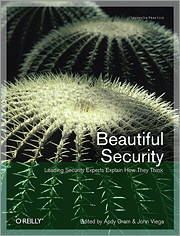
Beautiful Security is a collection of essays on security thought from a
variety of industry leaders. The sixteen chapters of the book cover a
surprisingly wide base of security domains making it worth reading just
for the exposure to the wealth of ideas. The fact that the essays are
intellectually entertaining is a bonus.
The best sections of this book are the places where some of my long held
beliefs get challenged by the chapter author, particularly the issues
involved with security in cloud computing. I still have a healthy
skepticism for the claims of cloud service providers, but the concept
that we will not get any better at securing abstracted compute
environments until we start using them is correct. You do not become an
expert at something until you invest a significant amount of time and
practice into it, so how can we expect to secure these environments
unless we use them?
Title: January Meeting
Location: Pythian
Link out:
Click here
Description: First meeting of the new year. Nothing formal
scheduled, but I do have an interesting video to show if there is
interest.
Topics:
- Automation
- Documentation
- Tools for the above
Start Time: 19:00
Date: 2011-01-20
End Time: 21:30
The following is copied from the announcement web page at
O’Reilly
Blogger Review Program
Join the O’Reilly Blogger Review Program. We’ll send you ebooks
and videos in exchange for your honest reviews.
- Login, provide a link to your review, then request another ebook
or video.


What is it?
A new way for you to get early access to great books and videos about
leading-edge software, technology and social media trends–and have
your expert opinions heard as a reviewer.
Title: Annual Social
Location: The Lieutenant’s Pump
Link out:
Click here
Description: Social event - food, talk, drink, etc.
Bring SO’s, all welcome.
I’ll see if I can arrange some extra goodies from LOPSA and/or Usenix.
We have a reservation under ovsage.
Start Time: 19:00
Date: 2010-12-16
End Time: 21:30
I saw a reference to a site on one of my emails or feeds earlier that
gave this URL:
http://www.quora.com/Linux/What-are-some-time-saving-tips-that-every-Linux-user-should-know
In a fit of “might be something out there”, I had a look and discovered
a bash built-in that I had never run across before, disown. Take a look
at the bash manpage for this little gem, but the nutshell version is
that it will take a command that you either forgot to run nohup on or
screen before you ran it and with some optional parameters, you can take
a long running process, background it, run disown -h <jobid>
and all of a sudden, you can disassociate the job with your terminal,
allowing it to ignore SIGHUP and continue on even if you log out. While
I am aware that there are other mechanisms, exiting a remote session and
having ssh wait for exit is annoying. I know you can type ~& to
background, but which level of ssh are you backgrounding?